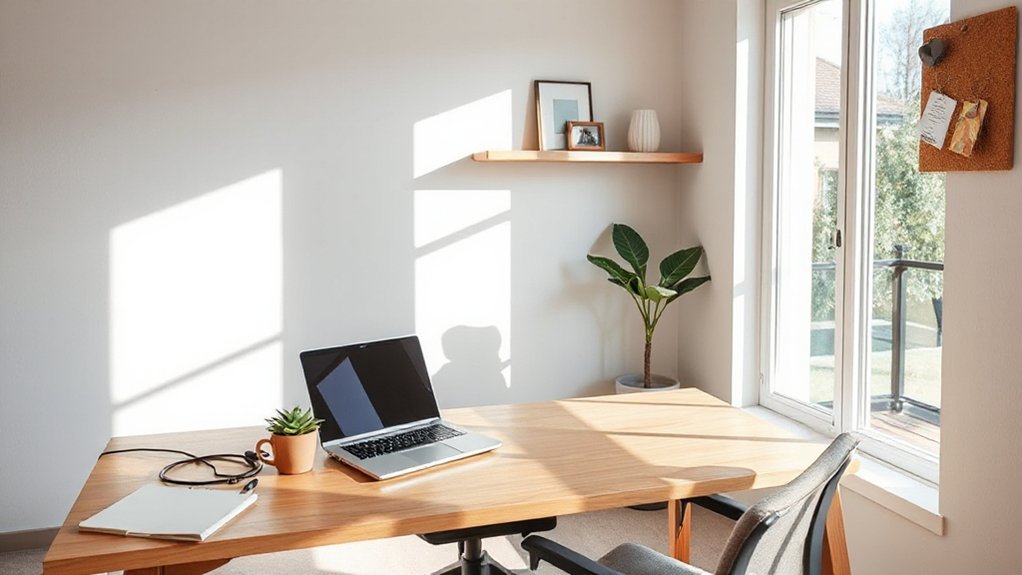

Chances are you haven’t mapped how your space affects deep focus; a single misplaced cable can derail a day. You’ll optimize with adjustable furniture, calm colors, and smart lighting that shifts with tasks, so your office adapts as your day does. You’ll balance openness with quiet nooks and practical tech to cut clutter, trim distractions, and sustain momentum. Curious how to weave comfort, efficiency, and personality into one cohesive zone? Let’s start shaping it.
What Remote Workers Want in a Home Office

What do remote workers really want in a home office? You want a space that respects focus, comfort, and efficiency. Start with a clean Remote workspace that minimizes distractions and supports quick, intentional work sessions.
Prioritize stable lighting, ergonomic seating, and a surface that invites sustained writing or coding without fatigue. You’ll value clear cable management and dedicated storage that keeps essentials at arm’s reach.
A quiet environment matters, so consider sound dampening or a private corner. Create distinct productivity zones: a primary zone for deep work, a secondary area for collaboration or quick reviews, and a separate refresh nook to reset without breaking momentum.
The layout should feel scalable, adaptable, and future-facing as your tasks evolve.
Define a Focused Layout for Your Space
To lock in a focused layout, start by mapping where deep work happens, quick reviews occur, and breaks recharge without pulling you out of momentum.
Place a primary desk at a quiet wall with minimal foot traffic, then carve a secondary prep zone for rapid task switching.
Use clear zones for sustained work, short reviews, and rest to maintain flow.
Choose furniture that supports posture and reduces friction between tasks.
Incorporate decorative accents that signal purpose without clutter, and display personal memorabilia in a dedicated shelf to spark motivation.
Ensure cable management keeps the surface clean and distraction-free, and position storage to minimize rummaging.
Iterate based on your rhythm, not trends.
- Define zones for focus, reviews, and breaks
- Position the desk for natural light and minimal glare
- Use decorative accents with restraint
- Curate personal memorabilia thoughtfully
- Develop a quick-reset routine for transitions
Lighting That Boosts Energy and Mood
You’ll optimize brightness to sharpen focus without glare, using steady task lighting that stays comfortable for long sessions.
Color temperature should shift to elevate mood—cooler tones for wakeful work and warmer hues as you wrap up—so your day feels balanced.
And embrace natural light wherever possible, since daylight supports all-day alertness and mood, even in compact spaces.
Brightness For Focus
Good lighting isn’t just a comfort—it’s a performance tool. To sharpen focus, align brightness with task demands and your personal routines, letting light guide your attention without glare. Use layered options: a bright desk lamp for detail work, indirect ambient light to reduce eye strain, and a dimmed backdrop for long sessions. Decorative accents can reflect light softly, creating depth and cueing momentum.
Position fixtures to illuminate your workspace without shadows on screens. Maintain consistency by keeping a dedicated light zone that signals focus hours. Track energy peaks and adjust intensity accordingly. Make it a habit to re-check lighting after changes. Small tweaks compound over days, boosting alertness and clarity.
- Choose task-targeted luminance
- Balance ambient and task light
- Leverage decorative accents for depth
- Align with personal routines
- Reassess nightly for consistency
Color Temperature Elevates Mood
Color temperature isn’t just about color; it’s a lever you can pull to shift energy and mood with real, measurable impact. You’ll optimize your home office lighting to support focus, creativity, and resilience, not just brightness.
Begin with cool, bluish tones (above 4000K) during morning tasks to promote alertness and mood enhancement as you start the day.
As you settle in, dim slightly and shift toward neutral to warm hues (2700K–3500K) for deep work and long sessions, reducing eye strain and fatigue.
Use layered lighting: a bright overhead layer, a task light at the desk, and an accent lamp for rhythm.
Calibrate with a smart dimmer and consistent fixtures to sustain steady mood and energy throughout your work cycle.
Natural Light Benefits All Day
Natural light isn’t just a pleasant backdrop; it’s a daily energy and mood tool you can rely on. You’ll optimize your workspace by aligning tasks with daylight hours, using windows to frame scenes, and choosing furniture that minimizes glare.
Consistent exposure to natural lighting sharpens focus, reduces fatigue, and supports circadian rhythm. Plan for shifting daylight with adjustable blinds and reflective surfaces to brighten corners.
Sunlight therapy isn’t a gimmick; it’s a practical routine that sustains motivation and clarity throughout the day. Embrace daylight in design, layout, and workflow to sustain creativity and well-being.
- Harness window placement for even illumination
- Use light colors and mirrors to amplify brightness
- Schedule high-concentration work during peak sun
- Install blinds to modulate glare
- Integrate daylight cues with routines and breaks
Ergonomic Must-Haves for Any Room Size
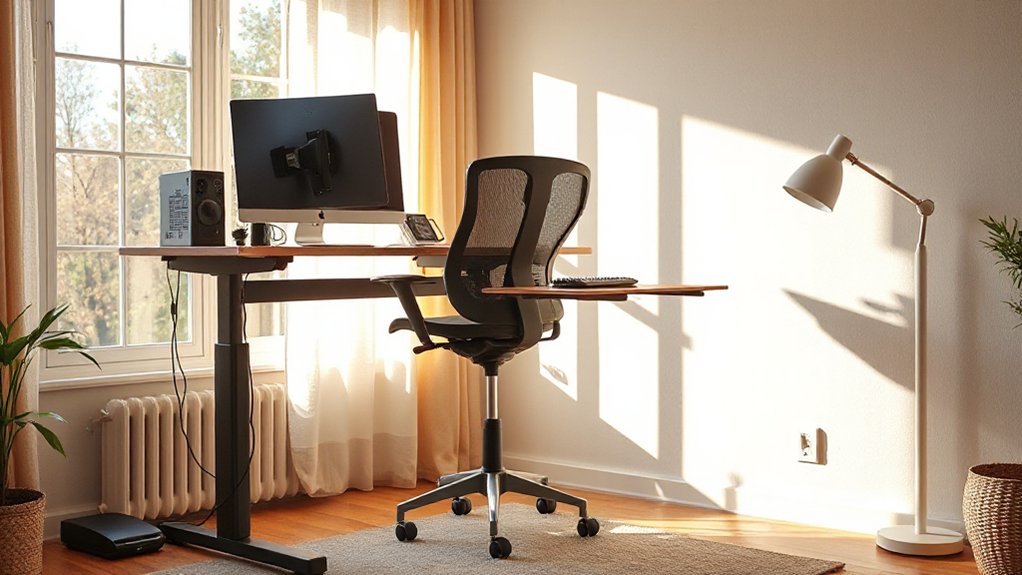
You’ll start with ergonomic essentials that fit any room size, from compact desks to versatile seating. Think space-smart upgrades—adjustable chairs, keyboards, and monitor stands—that maximize comfort without crowding your footprint.
Together, we’ll explore practical setups that scale with you, prioritizing posture, accessibility, and long-term productivity.
Ergonomic Essentials For All
To fit any room size, prioritize a compact, adjustable setup that supports long work sessions without sacrificing posture or focus. You’ll rely on ergonomic accessories that adapt to your body: chair with lumbar support, height-adjustable desk, monitor stand, and a keyboard tray.
Pair these with thoughtful lighting design to reduce eye strain and boost alertness. Keep cables tidy and modular, so you can reconfigure without distraction.
Your goal is a fluid routine where adjustments become second nature, not excuses to pause.
- Compact chair with lumbar support
- Sit-stand desk with easy height recall
- External keyboard and mouse align with forearm neutrality
- Monitor riser for eye level at 20–30 inches
- Subtle, bias-free lighting design for glare control
Space-Smart Comfort Upgrades
A compact, adaptable setup supports long sessions without forcing compromises on posture. You optimize space with a chair that supports your spine and a desk at elbow height, then tighten the fit with cable organizers and a small monitor arm for clean sightlines.
Smart storage keeps essentials within reach but out of the way, so you avoid visual noise that drains focus. Choose a tabletop lamp with adjustable color temperature to prevent glare during late hours.
Cozy accents, like a textured rug and muted throw, create warmth without clutter, helping you stay engaged. Use multi-purpose furniture—ottomans with hidden compartments and storage trays—to reduce footprint while preserving flexibility.
Finally, test your flow: reach, view, and posture in one smooth loop.
Quiet Zones: Simple Soundproofing Tricks
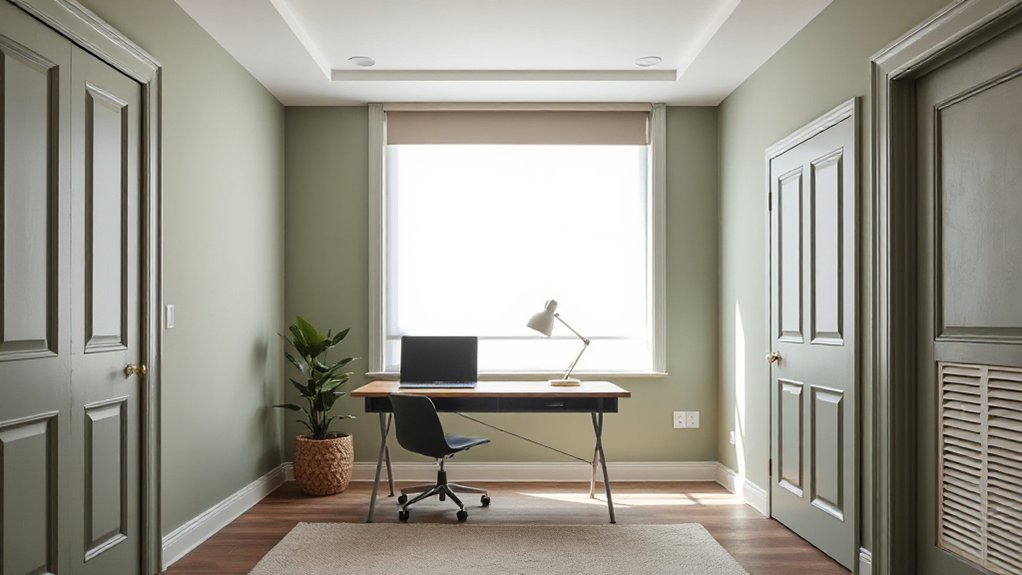
If you want your home office to stay focused, start by carving out quiet zones that minimize distractions and maximize concentration. Quiet zones don’t have to be elaborate—smart tweaks deliver big returns. Use simple cloth textures and soft surfaces to dampen noise, then layer purposefully with targeted upgrades.
- Install soundproof curtains to soften external hums and sudden thuds
- Mount acoustic panels at key wall junctions for mid-range frequencies
- Add a small rug to absorb footsteps and reduce echo
- Place a quiet fan or white-noise source behind you
- Align desk and shelving to break direct sound paths
These steps create calmer workflows, making mindful zoning feasible anywhere. With these foundations, you’ll sustain focus while preserving a comfortable, productive atmosphere.
Climate Comfort and Air Quality Basics
You’ve set up quiet zones; now tune the atmosphere to support long focus sessions. Start with air circulation to guarantee consistent airflow without drafts. Position a quiet fan or ceiling vent to move air gently, avoiding cold spots near your workstation.
Pair this with plants or a lightweight purifier to improve perceived freshness without noise. For humidity control, target a comfortable range around 40–50% depending on your climate; use a hygrometer to monitor swings.
If the air feels dry, add a small humidifier in a corner away from electronics. If overly humid, increase ventilation or use a dehumidifier. Maintain stable temperatures by shading windows in sun‑rich hours and venting after warm periods.
Prioritize predictable conditions that minimize distraction and fatigue.
Core Smart Tech for a Streamlined Workflow
What core smart tech shapes a streamlined workflow, and how can you deploy it without turning your desk into a gadget showroom? You’ll blend intuitive devices that reduce friction, not clutter. Focus on scalable, interoperable tools that feel invisible yet powerful.
Smart lighting saves energy and sets focus zones; wirelessly charge essentials to keep cables minimal. Use a single ecosystem to minimize setup overhead and guarantee reliable automations. Prioritize privacy, data protection, and simple on/off controls to maintain calm.
- Smart lighting scenes that adapt to time, task, and natural light
- Wireless charging pads for phone, earbuds, and keyboard
- Secure, centralized device hub for status checks
- Quick-launch automations for meetings and focus periods
- Silent, energy-aware sensors that prompt when you’re away
Cable Management That Really Works
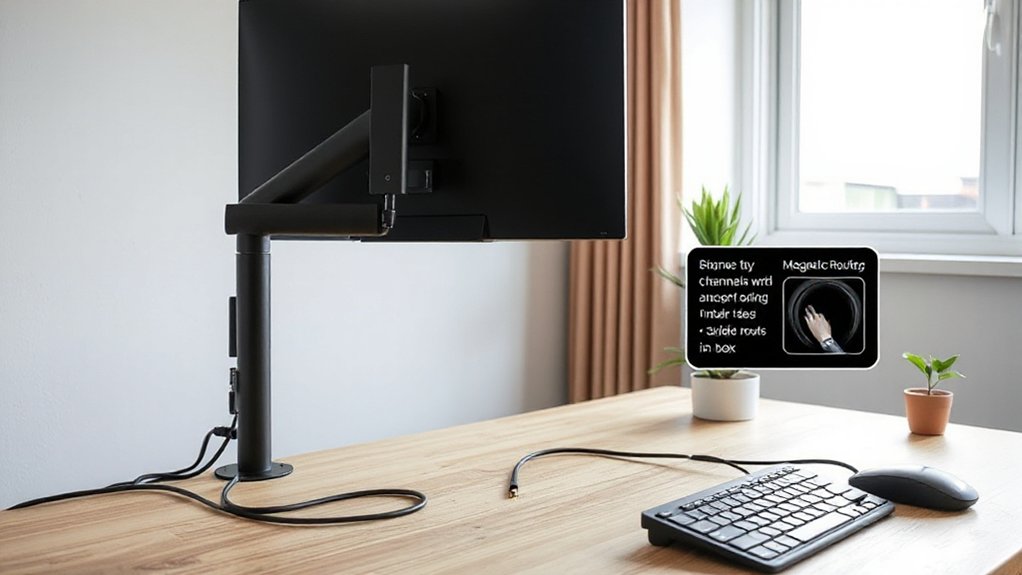
Cable management isn’t just neatness; it’s a backbone for your productive, calm home office. You’ll design a system that stays invisible until you need it, then reveals efficiency.
Begin with a central power hub under your desk and label every cable, so tasks don’t turn into tangles. Use a combination of cable raceways, clips, and a shallow tray to keep cords off the floor and out of sight.
Run high-traffic lines along the desk edge, not across the room, reducing trip risks. Tidy cable clutter with modular sleeves that snap together as your setup evolves.
Opt for cord concealment behind monitor arms and legs, plus a single, low-profile surge protector. Your workspace remains focused, adaptable, and someday even quieter.
Home Office Aesthetics for Focus-Friendly Color and Styling
Color and styling aren’t just about looks—they shape how you focus and feel when you work. You’ll craft a calm, productive vibe by selecting colors with purpose and pairing them with purposeful styling accessories. The goal is steady attention, not distraction, so choose hues that reduce stress and boost clarity, while keeping textures tactile and inviting.
Use lighting that enhances color fidelity and minimizes glare, and balance bold accents with quiet neutrals to prevent overload. Store essentials in legible, accessible organizers to sustain momentum. Focus-on color psychology and deliberate styling accessories will help you maintain immersion without fatigue.
- Choose a primary wall tone that supports concentration
- Integrate soft, indirect lighting for even illumination
- Use muted accent colors to guide attention
- Select tactile, uncluttered surfaces for focus
- Pair décor with functional storage for flow
Personal Touches That Enhance: Not Distract From: Work
You tailor your workspace with purposeful aesthetics, adding personal touches that sharpen focus rather than clutter it. Set up thoughtful organization systems that keep tools visible but not overwhelming, so you move smoothly from task to task.
Choose calming sensory details—soft lighting, subtle textures, and a trusted scent—so inspiration stays centered on work.
Personalize Workspace Aesthetics
Personalizing your workspace starts with purposeful, tasteful touches that boost focus rather than distraction. You tailor visuals to support your tasks, not overwhelm them, using concise cues that spark motivation. Choose personalized decor that reinforces your goals and keeps clutter off your desk.
Favor aesthetic accessories that are functional—lighting, color, texture, and meaningful objects harmonize with your workflow. Maintain consistency across surfaces to reduce search time and decision fatigue.
Regularly reassess to guarantee every item serves a purpose.
- Subtle color accents that improve concentration
- Compact, meaningful decor aligned with your tasks
- Task-relevant visuals that cue next steps
- Lighting setups that minimize glare and eyestrain
- Personal items kept within defined zones for focus
Thoughtful Organization Systems
Use labeled, modular storage to swap items as projects shift, and assign a dedicated tray for incoming papers to prevent spillover into your work surface.
Integrate ergonomic accessories—forearm supports, monitor stands, and a keyboard tray—to maintain posture while you organize.
Create a visual rhythm with decorative accents that reinforce schemas for different tasks, not merely ambiance.
Implement a single-cue checklist near the desk, and a digital dashboard to track priorities, minimizing mind-wandering.
Regular micro-closures—close drawers, tuck cables—preserve clean lines and mental clarity throughout your workday.
Calming Sensory Details
- Sensory textures that invite touch during brief shifts
- Subtle calming fragrances for focus, not overwhelm
- Modular accessories that adapt to tasks
- Lighting tuned to reduce glare and fatigue
- Quick-access organization that preserves momentum
Storage Tricks to Declutter and Inspire
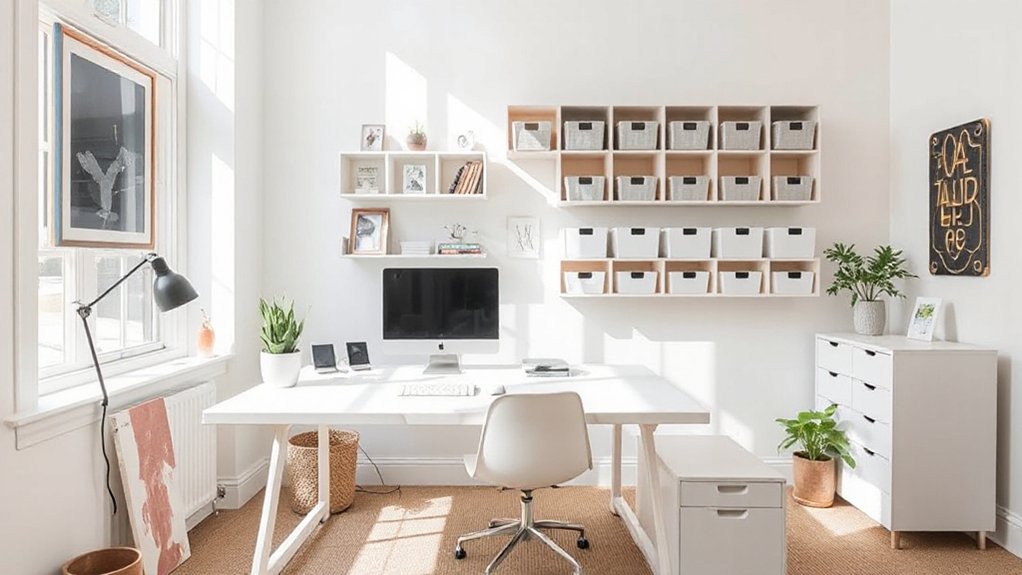
Do you ever feel overwhelmed by desk clutter as you head into a full workday? Start with a smart purge, removing anything you don’t touch weekly and designating a single tray for incoming papers. Use vertical storage to free desktop real estate—shelves, magnetic strips, and wall-mounted organizers keep essentials within reach without crowding your surface.
Invest in a slim, stackable file system and label each category clearly to maintain consistency. Tidy daily with a 60-second reset: stash, file, and wipe down.
Add Decorative accents that guide focus, like a small plant or a monochrome tray, and curate inspirational artwork that sparks momentum without distraction. Integrate hidden storage under your desk for cables and chargers, preserving a clean, cohesive workspace.
Multi-Use Setups for Hybrid Schedules
Blending home and work hours demands adaptable layouts that shoulder varying daily rhythms. You’ll design spaces that fluidly switch between focused solo work, collaborative sessions, and quick bursts of creativity. Use modular furniture, height-adjustable desks, and discreet screens to create multi-use zones without clutter.
Prioritize cable management, acoustics, and natural light to support Remote collaboration while preserving calm focus. A dedicated board or smart container keeps ideas visible but organized, aligning Office decor with mood and tasks.
Color zones guide shifts, while movable seating invites quick reconfiguration. Build routines around hybrid days, not rigid hours, so you can pivot as needed.
- Adjustable desks for sit/stand shifts
- Portable partitions for privacy on demand
- Zoned color palettes to cue activities
- Quiet corners with sound-dampening options
- Visible async tools for remote collaboration
High-Impact, Low-Cost Upgrades That Fit Your Budget
Smart upgrades can transform your home office without draining your budget, so prioritize changes that deliver noticeable gains in comfort, productivity, and focus. You’ll lean into high-impact, low-cost moves that compound over time.
Start with budget friendly decor that defines a calm tone: a cohesive color plan, soft lighting, and a single focal piece to reduce visual noise.
Move to Creative storage solutions that access surface area without crowding it, like wall-mounted reels, slim vertical organizers, and under-desk trays.
Reorganize cables with labeled ties and a magnet strip for frequently used tools.
Invest in a compact, quiet fan or heater bulb for consistent climate control.
Add a timer app to guard deep-work blocks.
These tweaks reinforce focus while preserving flexibility for growth.
Desks and Seating That Support Posture and Vitality
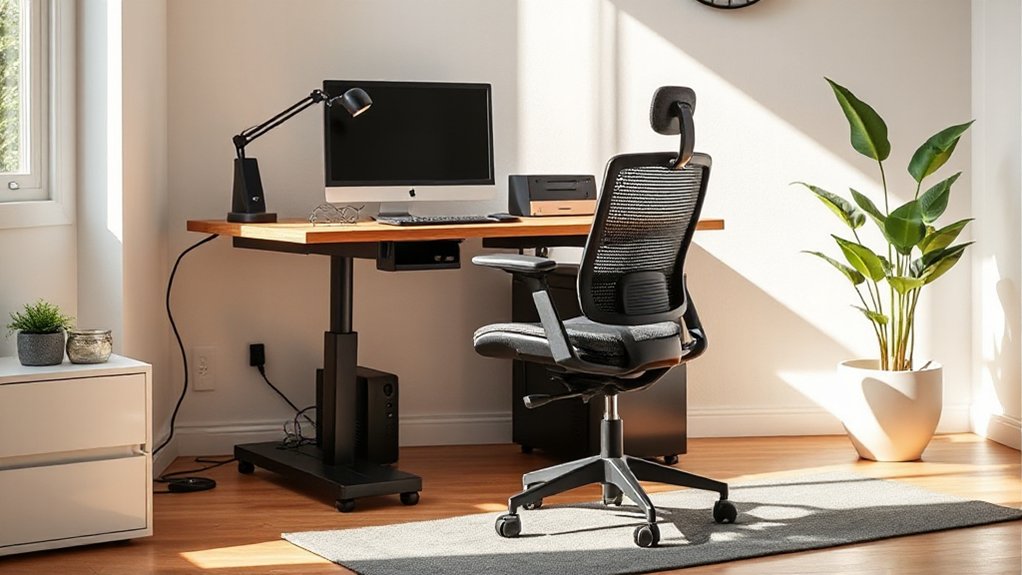
A well-chosen desk and chair set can elevate posture and energy, so start with ergonomics that align your body’s natural angles and keep you alert throughout the day. Your setup should balance height, depth, and reach to reduce strain while promoting vitality.
Pair a stable desk with a chair that supports lumbar curvature and dynamic movement. Add proactive adjustments, like monitor at eye level and a keyboard tray that keeps wrists straight.
Favor Ergonomic accessories that encourage micro-movements and neutral postures, and choose seating with breathable fabric and firm lumbar support for long sessions.
Prioritize posture correction through intentional positioning, alternating between standing and sitting, and micro-breaks to sustain focus and efficiency.
- Ergonomic accessories
- Posture correction
- Adjustable desk height
- Lumbar-support chair
- Monitor at eye level
Collaboration Tech: Video, Audio, and Space Setup
Video collaboration hinges on clear, reliable tech and intentional space layout. You’ll set up a dedicated camera angle, minimize background clutter, and guarantee lighting speaks to your face, not shadows.
Choose a high-quality webcam or a solid HDMI option, plus a dependable microphone to capture crisp speech with reduced room echo. For audio, invest in a small mixer or USB mic, plus a quiet keyboard and mouse to cut noise.
Space-wise, locate your desk near a stable internet node, away from distractions, with cables managed and ventilation unobstructed. Test bandwidth, latency, and software stability before meetings.
In practice, prioritize virtual collaboration workflows and streamlined team communication, so participants feel connected, seen, and productive, not stressed.
Your setup should support clear, confident dialogue across the entire team.
Privacy Tools for Attention and Security
You design your setup with Privacy by Design at the core, so security features are built into hardware, software, and workflows from the start.
Think focused attention tools that minimize distractions and track only what you actively consent to, keeping data local whenever possible.
Privacy by Design
- Define confidential zones with distinct access controls
- Enable full-disk encryption on all devices
- Use zero-knowledge or end-to-end encryption where possible
- Enforce least-privilege access for apps and accounts
- Automate secure backups and regular privacy reviews
Focused Attention Tools
Start by enabling quiet hours on devices, then deploy distraction management presets that silence nonessential alerts during deep work. Use browser profiles that isolate work from personal tabs, and implement containerized apps to prevent cross-context leaks.
Leverage screen-time boundaries and secure, privacy-forward launchers to minimize tracking while preserving speed. Layer biometric or PIN protection on critical apps to deter casual access.
Build a ritual: a clear start, a defined break, and a closing sweep to reset focus. With these tools, you sustain momentum and protect sensitive data while maintaining psychological clarity.
Green, Sustainable Office Ideas
What makes a home office truly green isn’t just the color of the walls, but the choices you make in electricity, materials, and habits that add up over time. You can trim waste while boosting comfort with practical, forward-thinking swaps.
- Use eco friendly materials for furniture and flooring, prioritizing low-VOC finishes and recycled content.
- Tap renewable energy options, like rooftop solar or wind credits, to power gear and lighting.
- Optimize lighting with LEDs and daylight harvesting to reduce consumption.
- Choose durable, repairable gear and sustainably sourced accessories to extend life.
- Implement a smart power routine that schedules standby, charging, and climate control.
These steps blend pragmatism with vision, delivering steady environmental gains without sacrificing productivity.
One-Week Rollout Plan to Implement Your Setup
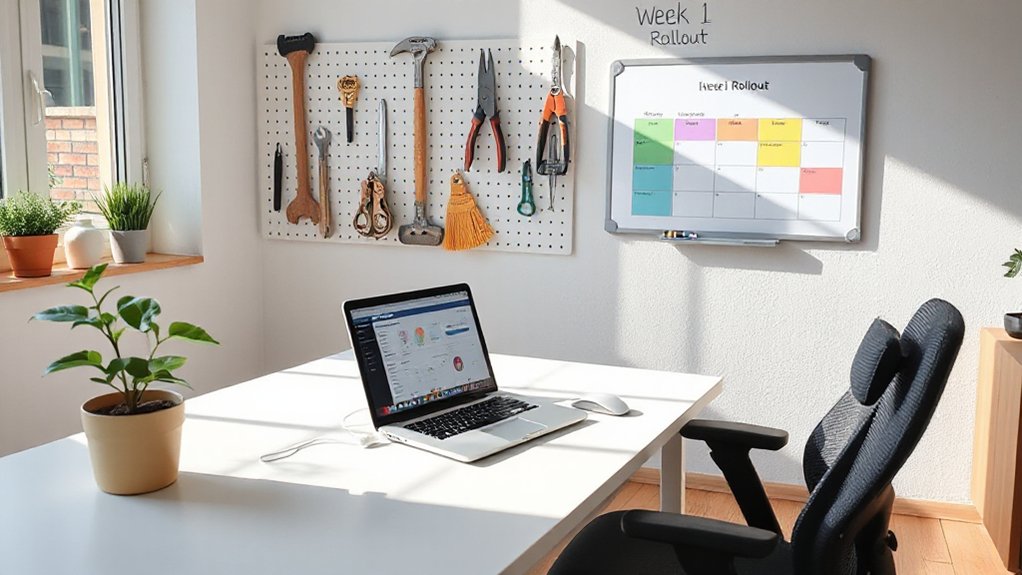
To roll out your home office in one week, start with a clear blueprint: map the space, identify must-have gear, and set target milestones for each day. You’ll begin with a baseline layout, then lock in virtual collaboration needs so teams stay aligned as you move.
Day one focuses on desk position, chair height, and lighting that reduces glare.
Day two adds ergonomic accessories—monitor arms, keyboard trays, and footrests—to support posture throughout long sessions.
Day three prioritizes connectivity: reliable wifi, wired backups, and a single hub for peripherals.
Day four tests audio and video for meetings, sparing you last‑minute churn.
Day five finalizes storage and cable management; day six runs a full workflow rehearsal.
Day seven documents setup rituals to sustain momentum and continuous improvement.
How to Assess, Iterate, and Improve Your Home Office
You should start by evaluating how your current setup actually performs, then iterate with concrete, low-friction tests that reveal where bottlenecks live. Start by tracking one weekday’s tasks, note distractions, posture comfort, and setup swaps, then measure impact after each change.
Prioritize changes you can test in under a day, like chair height, monitor angle, or cable management. Use rapid feedback loops to decide what to keep. When you see improvements, scale them thoughtfully and document outcomes for future tweaks.
Build momentum toward a smarter workflow, not perfection. Incorporate virtual team building into your routine by aligning space with collaboration needs. Consider ergonomic footrests for sustained comfort and focus.
Small, iterative wins compound into a profoundly more productive environment.
- Track, test, and document every change
- Focus on one bottleneck at a time
- Measure impact with quick metrics
- Scale successful swaps mindfully
- Prioritize comfort for long sessions
Frequently Asked Questions
How Long Does a Home Office Overhaul Typically Take?
A home office overhaul typically takes two to four weeks, depending on scope. You’ll install ergonomic furniture and lighting solutions, map deadlines, and coordinate trades, keeping you focused, flexible, and inspired as schedules shift and decisions tighten.
What Budget Is Realistic for a Minimal Setup?
You can start lean: realistic budget around $500–$1,000 for a minimal setup, balancing style with function. Office decor and ergonomic furniture fuse practicality with vision, giving you a productive, comfortable space that sparks focus and creativity.
Can I Convert a Small Space Without a Desk?
Yes, you can, even in a small space. Use creative solutions like wall-mounted desk alternatives, ergonomic furniture, and smart storage ideas; keep lines clean, optimize lighting, and plan a flexible setup that adapts to daily tasks.
Which Illegal or Unsafe Upgrades to Avoid?
A hypothetical case study shows you avoiding unsafe upgrades like bypassing electrical panels; never execute illegal wiring. You must never overlook legal pitfalls and safety hazards, prioritizing licensed professionals, proper permits, and code-compliant materials to protect yourself and others.
Do Homeowners Insurance Cover Home Office Equipment?
Home insurance typically covers your home office equipment under equipment coverage, though limits apply. You should document purchases, review policy specifics, and consider riders for higher-value gear to guarantee full replacement value and quick recoveries.
Conclusion
You’ve designed a space that’s tidy, calm, and efficient, but it’s not finished until you test it with real days of work. Adjust lighting, chair height, and cable routing as needed; iterate until every task feels effortless. Are you leveraging every inch of your space for focus and creativity? Keep fine-tuning, track comfort and productivity, and scale your setup with modular furniture and smart tech. Your future-ready home office is within reach—consistently refine for sustained remote success.